
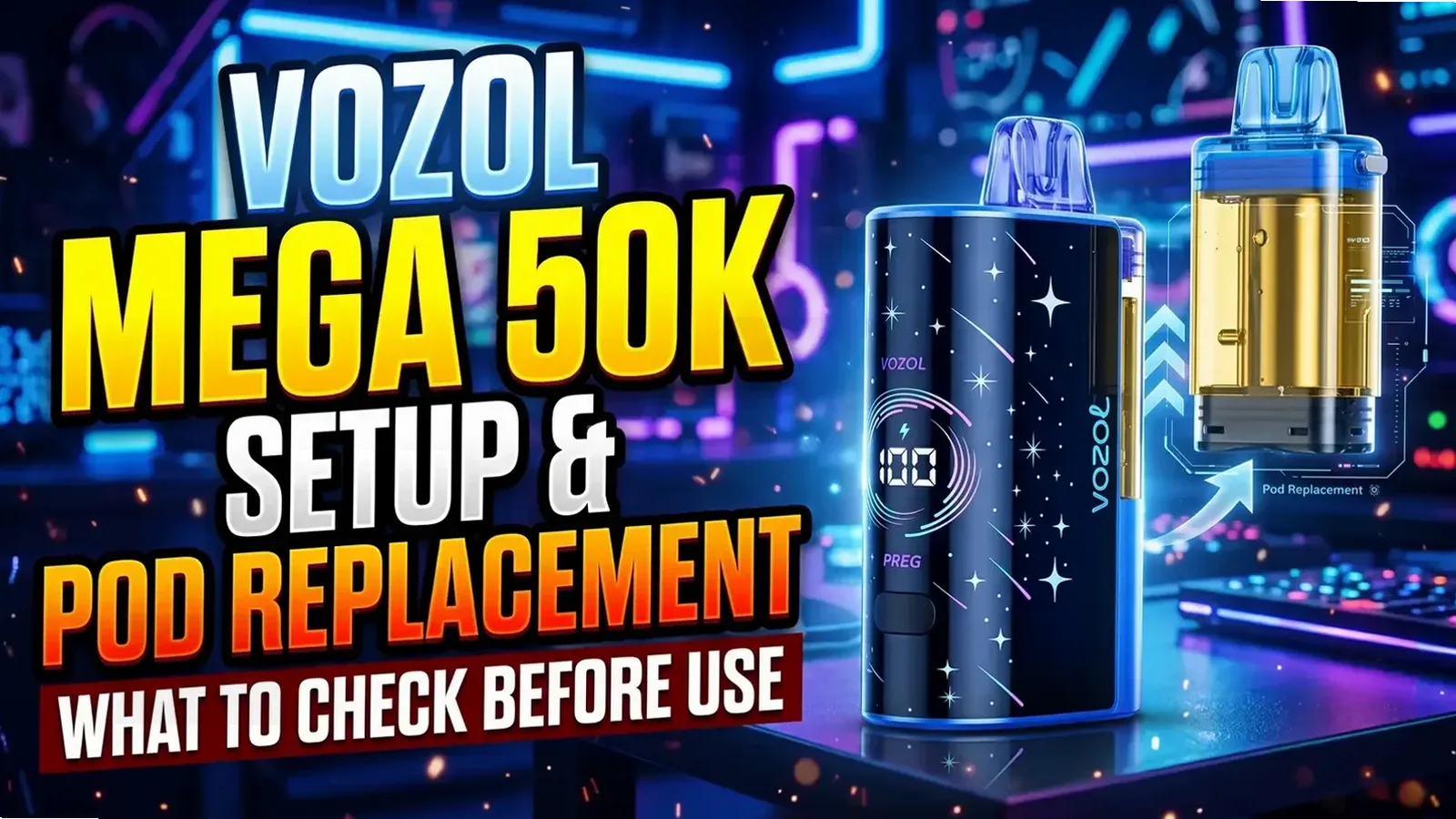
Fresh off a purchase of a VOZOL Mega 50K Kit — or a Mega 50000 replacement pod? Before anything else, one question outranks the puff figure stamped on the carton: which parts do you actually hold, which stay in service, and what deserves inspection before a new pod enters rotation.
It would be easy to mistake the Mega for an ordinary one-piece disposable. The U.S.-listed Mega 50000 system is actually built the other way: a rechargeable display/battery section that detaches, paired with a pre-filled liquid unit of its own. Everything about unboxing, replacing, and troubleshooting changes because of that split.
Vapmo carries both the VOZOL Mega 50000 Kit and, listed separately, the Mega 50000 Pod Only. What follows covers the U.S.-listed Mega 50000 family. Think of it as a pre-use and replacement checklist you can act on — not an invented click-by-click manual. Reliable documentation for the exact removal and attachment motion, batch by batch, simply does not exist.
Step one: Kit or Pod Only — which did you buy?
Two different products, whatever near-identical packaging might suggest.
| If what arrived is… | Inside that listing | What to do next |
|---|---|---|
| Mega 50000 Kit | One pre-filled pod in whatever flavor you picked, arriving together with the detachable rechargeable display/battery section | Get familiar with both sections, strip off transport protection, and — once the pod’s original liquid runs dry — keep the reusable section in service |
| Mega 50000 Pod Only | A single pre-filled liquid/pod unit; the detachable main display/battery section ships separately | Before ordering again, make sure a compatible Mega 50000 main section is already in your possession |
Once the liquid unit is finished, the detachable main section does not belong in the bin. Swapping the sealed liquid unit — rather than buying a full Kit every time — is the entire reason this format exists.
Read it as: Kit = main section + one pod; Pod Only = the replacement pod itself. One piece of packaging wording deserves care: “Can be USED ALONE,” printed on our Kit box, speaks about the packaged Kit and nothing else. Reading it as a claim that the separately sold Pod Only unit operates solo would be a mistake. A compatible Mega 50000 main section is assumed by our Pod Only listing — verify you own the matching hardware before the next replacement order goes in.
A one-minute once-over before the first puff
Better a deliberate first inspection than some memorized “pull three plugs, wait five minutes” script borrowed from a different VOZOL model entirely.
- Check the label first. Locate Mega 50000 / Mega 50K on the package, then settle the Kit-versus-Pod-Only question for your box. A similar-looking puff figure is no reason to install a Rave, Gear, Switch or any other VOZOL pod.
- Walk around the exterior. Cracks, leaks, swelling, unusual heat or visible damage on either section? Stop right there. Charging or running a damaged component is never acceptable.
- Go looking for transport protection. Demonstration footage in the matching U.S. format reveals a peelable film across the curved display plus a white sticker under the separate liquid unit; mouthpiece protection may be present too. Remove only what your own packaging or instructions clearly identify as shipping protection — contacts and anything fixed-looking stay untouched.
- Give the visible connection area a scan. Position matters here: the separate liquid unit travels beside the curved display section, mating structures running along one flank. On whatever exterior you can reach, look for obvious damage, stray packaging bits, moisture or debris. Tools stay away from the connection — no probing.
- Confirm the airflow opening is clear. Product photographs that match show an airflow slider sitting on the base of the liquid unit beside a MAX marking. Before ordinary use, confirm the opening in question isn’t still masked by a shipping seal that clearly comes off.
Protective film lifts away and the pod-bottom sticker peels off in one retailer’s brief demo clip — which does not prove anything universal: no mandatory unpacking order, no required first charge, no five-minute wait. The instructions inside your own package are the authority.
Know the two sections before you change a thing
Nothing here demands a memorized spec sheet. The knowledge that counts: which visible piece handles which job.
The detachable display/battery section carries the curved illuminated screen, with a physical button sitting beneath the display. Closely matched hardware puts the USB-C port on its underside.
The pre-filled liquid unit is where the mouthpiece and the clear liquid chamber live. Connection structures run along the photographed pod’s mating side, and its bottom face carries an airflow slider. Treat it as a sealed replacement unit — no bottle-refill cartridge, no user-serviceable coil system.
Once assembled, the liquid unit stands upright next to the display section instead of dropping into some generic top-loading tube. Handy for identification, yes — but the arrangement says nothing about which direction removal goes or how much connector pressure is safe.
Pod attachment and replacement: checks that carry weight
Maintenance, as intended, could not be simpler: keep the compatible main section, and once the original liquid runs out, swap in a fresh pre-filled liquid unit. Still unverified: any “pull straight up,” “press down until it clicks,” or twist-and-release sequence confirmed by the manufacturer for the current U.S. batch. Prescribing one from a product photo is not something we do.
Replacement on the agenda? Work through these checks:
- Compatibility gets confirmed before anything gets opened. The Mega 50000 replacement pod listing exists as the commercial partner meant for the Mega 50000 Kit. Either package looking odd? Re-check both labels.
- Give the new unit an inspection. Mouthpiece, bottom airflow face, mating side — all three get checked for clearly identified transport seals, damage, leaks. Which seals ship with Pod Only is not something a Kit unboxing video can prove.
- Removal and attachment belong to the package’s own steps. Pictured geometry does confirm a mouthpiece-up orientation next to the curved section; it proves nothing about any particular slide, pull, audible click or automatic screen reaction.
- A doubtful fit never gets forced. Parts refusing to align the way the supplied instructions show is a signal to stop — no prying, no hard twisting, no attempts to “make” the connector seat.
- The old sealed pod stays intact. Bottled-liquid refills and coil swaps are outside the Mega pod’s design. Piercing it for leftover liquid, or tampering with contacts, is off-limits.
Which is also why invented “priming rituals” get rejected here. No verified Mega 50K waiting interval exists for a new pre-filled unit — a retailer’s generic five- or ten-minute rule is not a step your product requires.
Decoding the REG / PWR display
Decoration, the Mega’s curved panel is not. Matching U.S. package photographs together with an 18mL / 5% hands-on clip expose a physical button sitting alongside REG and PWR display states. Modes named Regular and Power appear on the packaging, which for the photographed version advertises up to 50K in Regular, up to 35K in Power.
Reading the device becomes workable with that in mind:
- REG corresponds to the setting labeled Regular.
- PWR corresponds to the setting labeled Power.
- Advertised maximums tied to modes — that is all the 50K / 35K figures are. Your own draws will not reproduce those counts, and nothing about them is a remaining-puff readout.
Button interaction around the REG/PWR transition is captured in the footage — and that is all it captures. It establishes no universal hold length, press count, lock sequence or wattage. One short clip will not be stretched into exact button instructions for stock that hasn’t passed through our hands.
Numbers can show up on the illuminated display as well. Whatever you do, don’t guess liquid percentage, battery percentage or puffs remaining without the legend supplied for your version. Every on-screen number, every warning state — precise meanings stay unverified for the current U.S. batch.
Airflow: a physical slider, not something on screen
A slider on the bottom governs airflow on the photographed Mega liquid unit — positioned beside an opening and a visible MAX marking. Separate feature entirely from the button on the curved display section.
Check that a removable shipping sticker isn’t masking the opening before use. And when dialing in draw preference, believe the markings and directions on your own pod — “left means open” is not a safe bet across every angle or revision.
Current stock has no verified airflow travel direction, no electronic airflow readout, no airflow-linked lock function. Vapor cutting out abruptly? Neither sliding the airflow nor mashing the display button should be assumed to fix a battery or connection fault.
Is it the battery, the liquid, or the connection?
Each of these problems calls for its own first check. One symptom on its own — above all, no vapor — tells you nothing about which problem you have.
| The symptom | A useful first check | Assumptions to skip |
|---|---|---|
| Power feels like it’s running low | Whatever battery/status information your own unit provides, read it — then follow the charging instructions that came with it | A screen number is not guaranteed to reflect the charge percentage of that specific battery cell |
| Liquid in the pod appears to be running out | Under good light, with the device at rest, look at the clear liquid chamber | Neither a displayed number nor the 50K label works as an exact liquid gauge or remaining-draw counter |
| Liquid is there, yet response is weak or missing | Check for obvious shipping obstruction and visible damage, verify product identity, and review the documented attachment arrangement | “Empty pod,” “dead battery,” “bad contact” — none of these can be diagnosed from missing vapor alone |
| Leakage, swelling, unusual heat or damage that persists | Stop — both using and charging — then contact support, model and package details in hand | No prying the pod open, no poking contacts, no keeping it firing to test a suspected fault |
Spent original liquid stays spent: recharging pours nothing back into the pod. A compatible replacement unit is the intended next move. Purely a low battery? Charging exactly as the product instructions direct may bring normal operation back — for an unresponsive device, though, it guarantees nothing.
Charging starts with knowing where the USB-C port lives
On matched U.S. hardware, the visible USB-C socket sits at the base of the detachable main display/battery section. Rechargeable is how our Kit listing describes that main section.
Damage or moisture around the port and its surrounding shell — settle that question before any cable goes in. Charging and power-source instructions supplied with your product are the ones to follow. A Mega-specific input-current figure, a fixed full-charge duration, a charging-complete animation, permission to vape while charging: none verified by us, so none should be imported from a different VOZOL model.
The compatible Mega 50000 main section is the partner for your replacement pod. The USB-C socket displayed on the Kit adds no separate charging procedure for a Pod Only unit. Charge the complete system according to its own instructions, and let no improvised, undocumented method of charging a replacement pod anywhere near your setup.
Three mix-ups worth dodging
“I ordered a replacement pod, so the whole kit should arrive.” It does not: shipping with the detachable curved display/battery section is something Pod Only never does. Judge by the exact item selected, not by a photo of an assembled device.
“It says disposable, so the entire kit goes in the bin.” What the Mega format actually runs on is a replaceable sealed liquid unit. Its own component, the intended reusable section — keep it, except where the hardware itself is damaged or finished.
“Any 50K pod — or a Foger pod — should fit.” Safe electrical or physical compatibility is proven by neither similar naming nor third-party cross-brand claims. No factory compatibility chart spanning regions, generations or rival brands has been verified by us. The exact Mega pairing is the safe lane — or send us both package labels before any cross-fit gets assumed.
When something seems off: what to send Vapmo
Bare “it doesn’t work” messages help nobody; specific ones do. Fold in:
- which purchase you made — Kit or Pod Only — together with the exact name and strength printed on the box;
- one sharp exterior photo of the components, assembled or separate (disassembly stays out of it);
- the screen’s state — REG/PWR or other visible markings included — wherever it applies;
- the moment in question: first use, a pod change, a normal draw, or charging;
- any visible shipping seal or damage, and whether liquid still shows in the liquid chamber.
Public photos have no room for private verification codes or personal details. Leaks, visible damage, swelling, unusual heat — the moment any appear, stop using and charging the unit while support is contacted.
Where this leaves you
Practical skill, VOZOL Mega 50K edition: telling apart the reusable section’s belongings from the replaceable, sealed pod’s. Then three habits — clear away shipping protection, identify the real controls, and keep battery, liquid and connection questions in separate lanes.
Published evidence at its strongest confirms these: the Kit/Pod distinction, the clear liquid chamber, the bottom airflow slider, the curved screen, REG/PWR mode indications. What it cannot yet justify: any universal pull direction, click count, charging animation, or standalone-pod power procedure.
Current details for the Mega 50000 Kit, the Mega 50000 Pod Only and the wider VOZOL lineup at Vapmo are there to verify. Prices, flavors, stock — all of them move. The live listing plus the package in your hands outrank any old snapshot.